Table of Contents
Bullet spine
The Bullet spine runs agents in the Bullet 3 simulator. It can be started as a standalone process that will keep on running while waiting for agents to connect.
The easiest way to start a simulation spine is to run the simulation script from the repository:
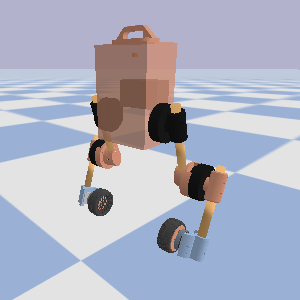
The script will download and run a pre-compiled binary, saving you the time required to build it locally on your machine.
Pi3hat spine
The pi3hat spine is the one that runs on the real robot, where a pi3hat r4.5 is mounted on top of the onboard Raspberry Pi computer. You can either download it as a pre-compiled binary or build it locally from source.
To install the latest release, go to the Release page, download pi3hat_spine from the assets of the latest release, scp it to your robot and install it to /usr/local/bin:
The spine needs root privileges to run in the real-time scheduler and talk to the pi3hat, hence the setuid bit (4 in 4755) that allows regular users to run it. If you build from source, running make install_pi3hat_spine from the repository installs it the same way.
Once the spine is installed, start it from the command line:
You can then run any agent in a separate shell on the robot, for example the PID balancer from the examples directory:
Read-only mode
The pi3hat spine can run in read-only mode, which communicates with the actuators to read their state but won't send position commands. This is useful to run agents over real robot states:
Mock mode
The pi3hat spine can run in mock mode, which is useful to run an agent on the robot without communicating with the actuators: